

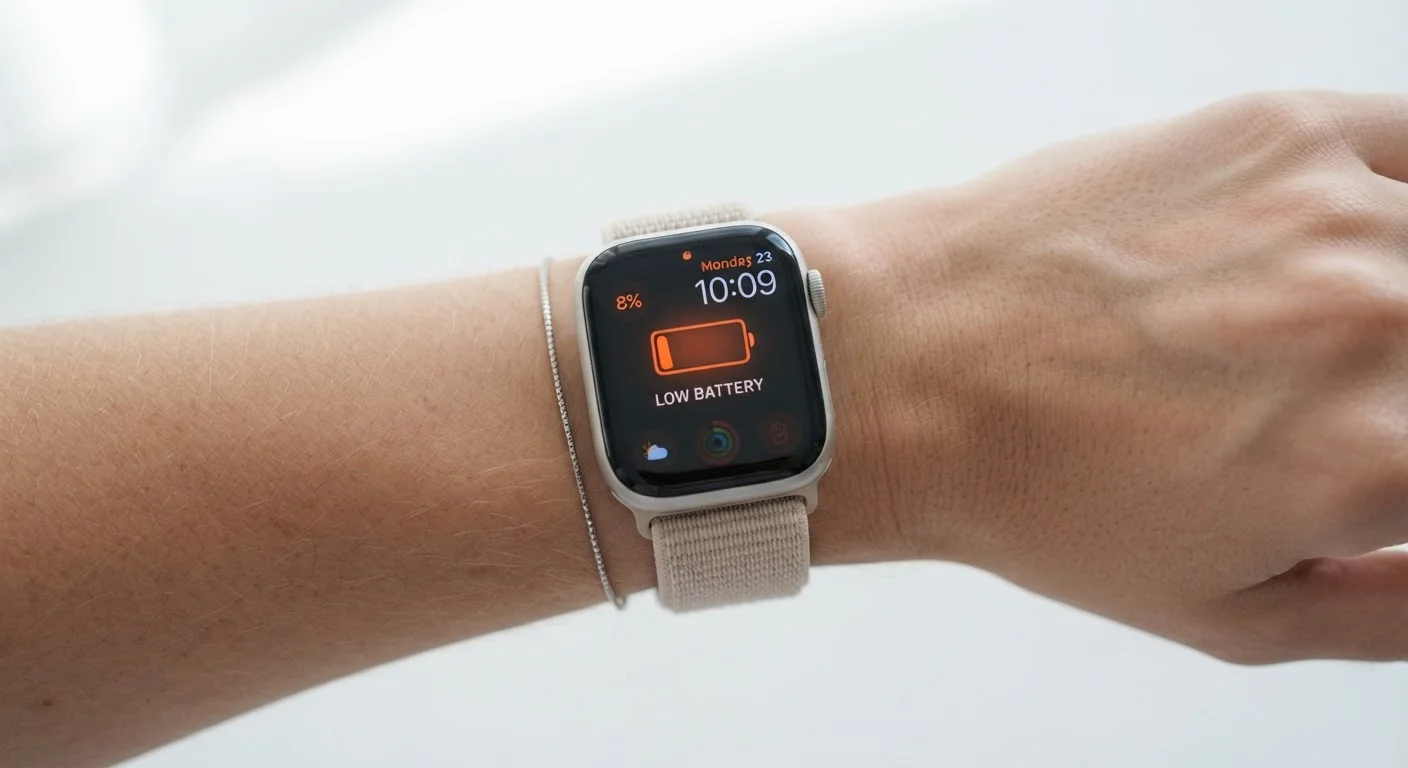
Key Takeaways
- Advertised battery life is measured under ideal lab conditions, not typical daily use.
- Always-on displays, GPS, and continuous heart rate monitoring are among the biggest battery drains.
- Expect real-world runtime to be 20–50% shorter than the headline figure for active users.
- Adjusting settings like screen brightness and sensor polling frequency can meaningfully extend battery life.
- Independent reviews from tech publications are more reliable benchmarks than manufacturer claims.
Wearable Battery Life Claims
Battery life claims on wearables are the runtime figures manufacturers publish on packaging and product pages. These numbers represent how long a device lasts under controlled lab conditions — typically with specific features disabled, screen brightness reduced, and connectivity minimized. In everyday use, actual runtime is almost always shorter than the advertised figure.
Manufacturers commonly follow their own internal testing protocols rather than a single industry-wide standard, making direct comparisons between brands unreliable without independent testing data.
How Manufacturers Measure Battery Life
When a wearable's product page says "up to 7 days," that figure typically comes from an internal test designed to showcase the device under the most favorable conditions possible. Common testing parameters include a reduced screen-on time, notifications limited or disabled, GPS turned off, heart rate monitoring set to periodic rather than continuous, and Bluetooth disconnected from a phone.
This isn't necessarily deceptive — manufacturers need a controlled baseline to make comparisons reproducible. The problem is that these baselines rarely reflect how most people actually use a fitness tracker or smartwatch. There is no single mandatory industry standard governing how wearable battery life must be measured, which means a "7-day" claim from one brand and a "7-day" claim from another may be based on entirely different test conditions.
Audio Devices Follow the Same Pattern
Published battery figures for wireless earbuds and headphones are typically measured at moderate volume with noise cancellation disabled — two settings many users change immediately out of the box. For a more accurate personal estimate, look for tests conducted at high volume with ANC active, as these conditions more closely reflect typical listening behavior.
For audio devices like wireless earbuds, similar dynamics apply. Published figures often reflect playback at moderate volume with noise cancellation disabled — two settings many users change immediately out of the box.
The Features That Actually Drain Your Battery
Understanding which features consume the most power helps you calibrate expectations before you buy — and manage battery life after you do.
- Always-on display (AOD): Keeping the screen lit at all times is one of the single largest battery drains on any smartwatch. Disabling AOD alone can extend runtime by 30% or more on many devices.
- GPS: Active GPS for route tracking during runs or rides is power-intensive. Manufacturers often publish separate "GPS-on" battery estimates, which are considerably lower than the standard figure — worth checking before purchase.
- Continuous heart rate monitoring: Reading heart rate every second for health tracking or workout accuracy draws significantly more power than periodic polling every 10 or 30 minutes.
- LTE / cellular connectivity: Wearables with built-in cellular radio consume substantially more battery when operating independently of a paired phone.
- Notifications and app sync: Frequent vibration alerts, screen wake events, and app data syncing add incremental but meaningful load throughout the day.
Check GPS-On and AOD Battery Figures Separately
If you exercise with GPS or prefer an always-on display, look for those specific runtime figures in independent reviews rather than relying on the headline claim. These two modes together represent the most common gap between advertised and real-world battery life. See our setup checklist for new wearables for other factors worth verifying before you commit.
If you're evaluating a wearable and long battery life matters to you, look specifically for the device's GPS-on runtime and its always-on-display runtime in independent reviews. These two figures will give you a far more honest picture than the headline claim. See our setup checklist for new wearables for other factors worth verifying before you commit.
Setting Realistic Expectations as a User
A practical rule of thumb: if you use GPS regularly, enable always-on display, and keep continuous heart rate monitoring active, plan for roughly half the advertised battery life as your realistic daily ceiling — and potentially less. Heavy notification users who exercise with GPS tracking daily may find real-world runtime 40–60% below the headline number.
~50%
Typical real-world vs. claimed battery gap for GPS-active users
Independent wearable reviews consistently show GPS-on runtimes at roughly half the standard advertised figure across multiple device categories.
20–30%
Battery capacity loss over 2 years of daily charging
Lithium-ion batteries in consumer electronics typically retain 70–80% of original capacity after approximately 300–500 full charge cycles, according to general electrochemical industry data.
Battery capacity also degrades over the device's lifespan. Lithium-ion cells — the chemistry used in virtually all wearables — lose charge-holding capacity with repeated charge cycles. A device that once made it through seven days may deliver five or fewer after a year or two of daily use. This is normal electrochemical behavior, not a defect.
If accurate health data matters to you, keep in mind that the same features draining your battery — continuous heart rate, GPS, and active sensors — are also the ones generating your most detailed readings. For a deeper look at what that data can and cannot tell you, see what smartwatch health data actually means.
How to Find More Honest Battery Benchmarks
Before purchasing, seek out real-world battery tests from established, independent technology publications. The most useful reviews test devices under multiple usage profiles — light use, moderate use with continuous heart rate, and GPS-active workout mode — and report separate figures for each. These multi-scenario benchmarks are far more actionable than any single number on a box.
Also worth noting: if a device's battery life is critical to your use case — say, you want uninterrupted sleep tracking without charging interruptions — prioritize wearables where independent reviewers consistently report runtime well above your minimum threshold. Headroom matters, especially as the battery ages. For context on how battery behavior compares across device categories, the same principles apply to smartphones — see why your phone battery drains faster than expected.
Finally, after purchase, experiment with settings before resigning yourself to short runtime. Disabling AOD, reducing check-in frequency for sensors you don't need moment-to-moment, and limiting background app sync can meaningfully extend the gap between charges without sacrificing the features you actually use most.