

Key Takeaways
- Multi-room audio systems let you control sound in every room from one app or voice command.
- Wi-Fi-based systems offer more flexibility and higher audio quality than Bluetooth for whole-home setups.
- Wired infrastructure delivers the most reliable audio but requires significant installation effort.
- Speaker grouping lets rooms play in sync or independently based on your preference.
- A strong home network is the foundation every wireless multi-room system depends on.
Whole-Home Audio System
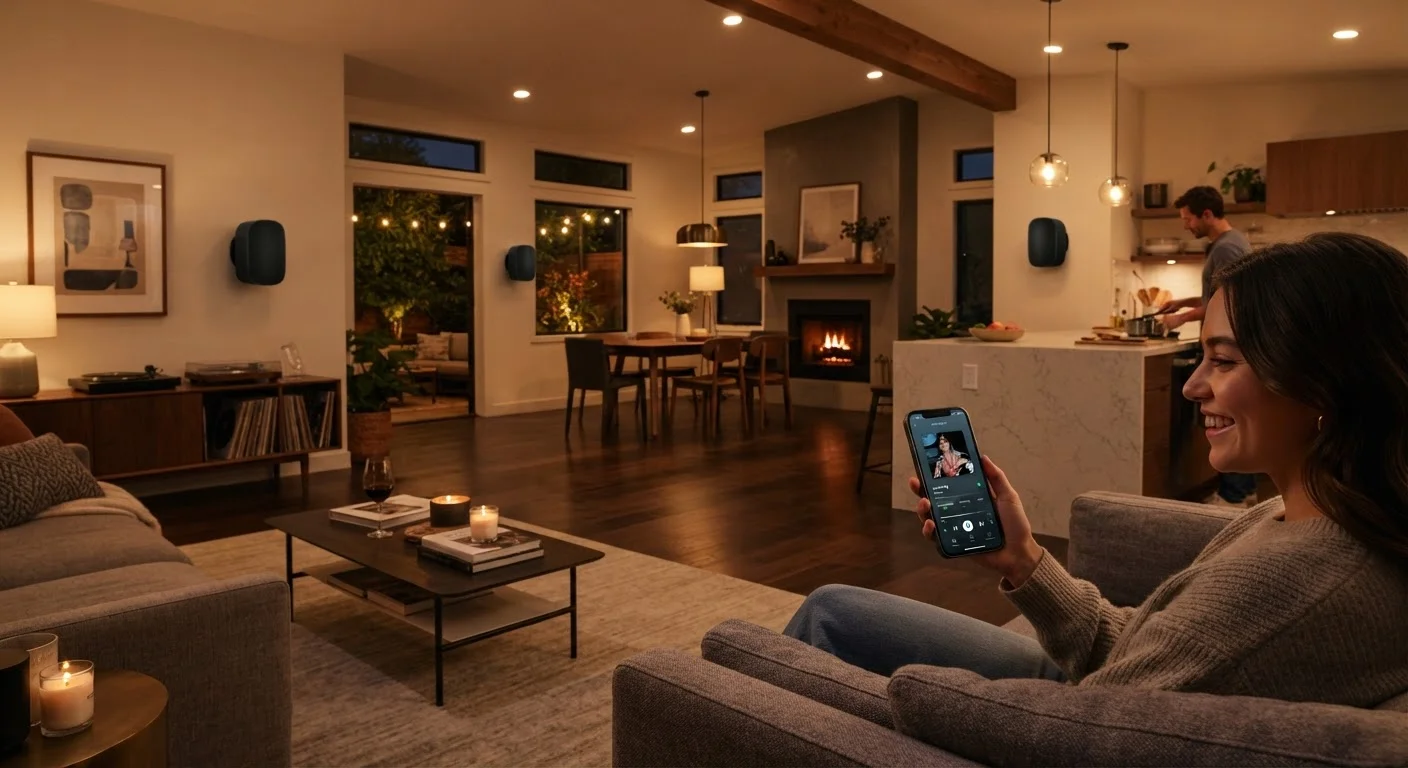
A whole-home audio system lets you play music or other audio through multiple speakers placed in different rooms, all controlled from a single app or interface. Speakers can play the same content simultaneously or different content independently, depending on how you set them up. The system connects speakers either through your home's Wi-Fi network, dedicated wiring, or a combination of both.
Most modern whole-home audio platforms use IP-based streaming over Wi-Fi and proprietary synchronization protocols to keep multi-room playback within a few milliseconds of alignment, preventing audible echo between rooms.
The Core Idea: Audio Across Multiple Rooms
A whole-home audio system does something conceptually simple but technically involved: it delivers sound to speakers in different rooms while keeping everything controlled from one place. Whether you want the same playlist echoing through your kitchen, living room, and patio simultaneously, or different stations playing in different zones, the system handles the routing and synchronization automatically.
The concept predates Wi-Fi — older systems used dedicated speaker wire run through walls to a central amplifier. Modern systems have largely shifted that complexity to software, making setup accessible without tearing open drywall. Understanding the basic architecture helps you decide which approach fits your home and habits.
For broader context on how audio hardware fits into everyday tech decisions, the wearables and audio hub covers the full landscape from headphones to home speakers.
How Streaming Protocols Deliver Sound
The invisible backbone of any wireless multi-room system is a streaming protocol — the method speakers use to receive audio data and stay synchronized. Three approaches dominate the current market:
- Proprietary protocols are developed by a single platform manufacturer and run exclusively within that ecosystem. They tend to offer tight synchronization and deep feature integration but lock you into one brand.
- AirPlay 2, developed by Apple, streams audio over Wi-Fi to compatible speakers and supports multi-room grouping natively. It's available on a wide range of third-party hardware, giving users more choice while staying within Apple's control layer.
- Chromecast Audio (built into many speakers) uses a Google-developed protocol where the speaker itself fetches the audio stream directly from the source rather than receiving it relayed from your phone — improving reliability when your phone moves out of range.
Each protocol handles latency and buffering differently. Proprietary systems often achieve the tightest sync, which matters when speakers are physically close enough that you'd hear an echo if playback drifts even slightly out of alignment.
~20ms
Typical sync tolerance for multi-room audio
Audio engineers generally consider playback within 20 milliseconds of alignment inaudible as echo when speakers are in separate rooms.
2.4 GHz vs. 5 GHz
Wi-Fi bands used by smart speakers
Many smart speakers operate on the 2.4 GHz band for range, but crowded networks on that band are a leading cause of multi-room audio dropouts.
In-wall wiring
Most reliable audio distribution method
Wired speaker installations are consistently cited by audio installers as the most interference-free and latency-stable method for whole-home audio distribution.
Wired vs. Wireless: The Real Trade-Offs
Wired whole-home audio — typically using in-wall speaker cable connected to a central amplifier or matrix switcher — remains the most reliable approach for audio quality and network independence. It doesn't compete with your Wi-Fi bandwidth, doesn't drop during network congestion, and can deliver higher-fidelity audio to passive speakers. The trade-off is installation complexity: running cables through finished walls is disruptive and often requires a professional.
Wireless systems sacrifice some of those technical advantages in exchange for dramatically easier setup and flexibility. Adding a new zone is as simple as plugging in a speaker and assigning it to a room in an app. The primary dependency is your home network — a congested or patchy Wi-Fi environment causes dropouts and sync failures. This makes network quality the single most important infrastructure consideration before investing in wireless multi-room audio.
Our guide on setting up a home network for many smart devices explains how to prepare your network for the demands of multiple simultaneous streaming devices.
Test Your Network Before Buying Speakers
Before purchasing any wireless multi-room speakers, walk through your home with a Wi-Fi signal strength app and note areas with weak coverage. Rooms with poor signal will cause persistent dropouts regardless of speaker quality. Addressing network gaps first — with a mesh system or access points — saves significant frustration later.
Speaker Grouping and Zone Control
Most multi-room audio apps organize speakers into zones — named areas like "Kitchen," "Bedroom," or "Backyard." You can then direct playback to individual zones or group zones together for synchronized listening. Grouping is handled in software: the platform coordinates timing across speakers so the audio arrives within milliseconds of alignment.
Some systems also support stereo pairing, where two identical speakers in the same room are configured as a left/right pair. This is distinct from multi-room grouping — it's about creating a proper stereo image in a single space rather than distributing mono or duplicated audio across rooms.
Integration with voice assistants adds another control layer. You can ask a voice assistant to play music in specific rooms by name, adjust volume per zone, or pause all speakers at once — without opening an app. For a detailed look at what voice assistants actually handle reliably in these scenarios, see voice assistants in the home.
“The room is the instrument. Where you place speakers and how you control zones shapes the listening experience just as much as the hardware itself.”
— Home Technology Integration Council, Industry association for residential technology installation professionals
Fitting Multi-Room Audio Into a Broader Smart Home
Whole-home audio rarely exists in isolation. Most households build it alongside smart lighting, thermostats, and security systems — and the audio platform's compatibility with those devices affects how seamlessly everything works together. A system that integrates with your smart home hub can respond to routines: music fading when the doorbell rings, playback pausing automatically when you leave the house, or a morning playlist starting at a set time.
If you're new to the broader world of home automation and want to understand how device groupings, triggers, and routines work before committing to hardware, a first-timer's walkthrough of smart home automation provides a solid foundation.
Audio quality within the system also depends on factors most buyers overlook: the codec used to transmit audio from source to speaker, the speaker's own DAC (digital-to-analog converter), and whether the platform streams at compressed or lossless quality. For readers interested in how audio codecs affect wireless sound, the audio codec glossary explains the key formats in plain language.
This article is for informational and educational purposes only. Product capabilities, protocols, and platform features vary and may change over time. Consult manufacturer documentation for current specifications before purchasing.